Checkout Screen UI Examples
High-converting checkout UI patterns - cart, delivery, payment, review, and confirmation from a real flow.
These checkout screens show a complete purchase journey from cart to post-purchase confirmation. The flow emphasizes trust, clear totals, and a strong success screen with order details and next actions.
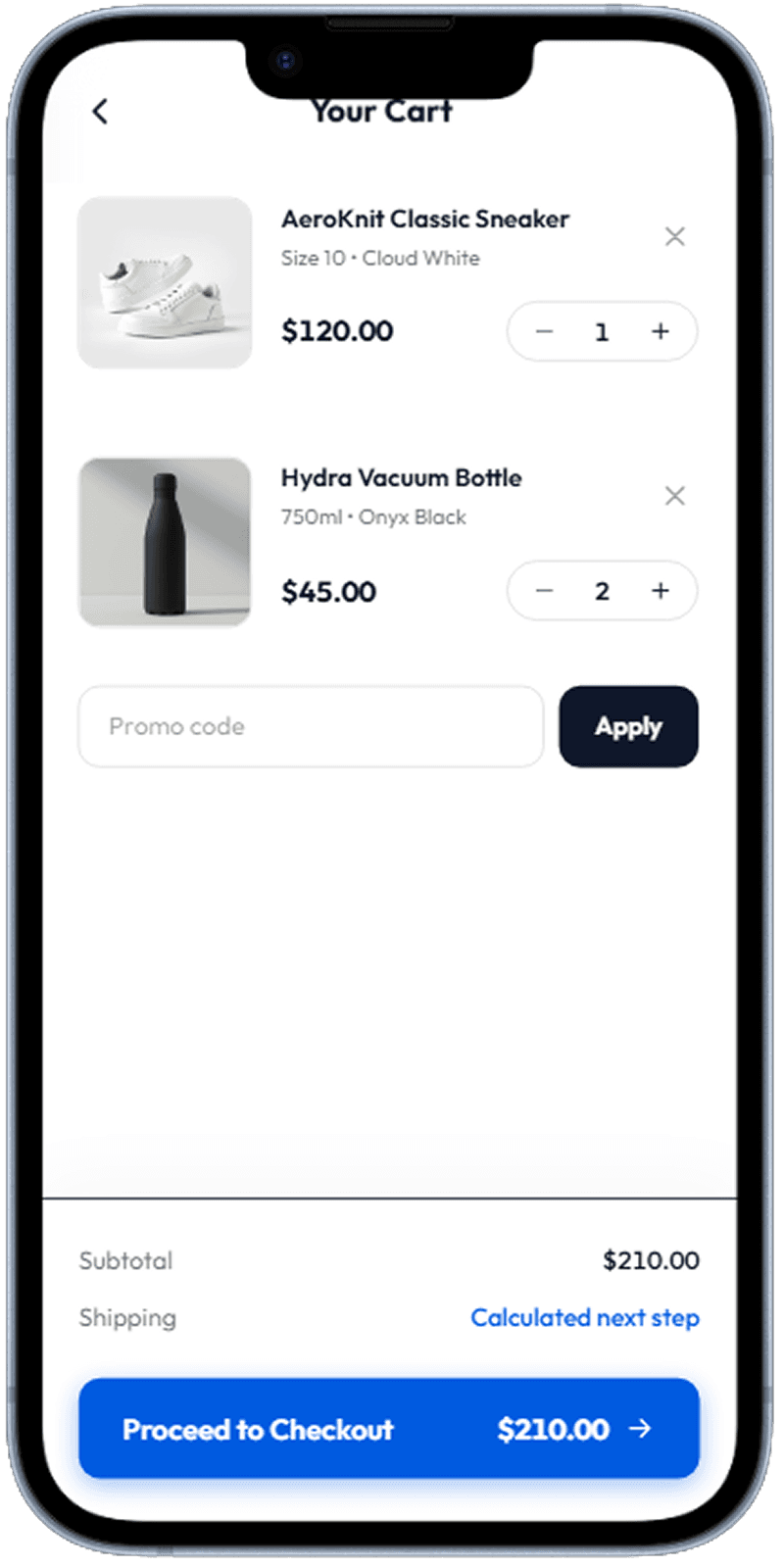
Cart Summary
Cart review step with item and subtotal visibility.
Cart overview with totals and checkout progression
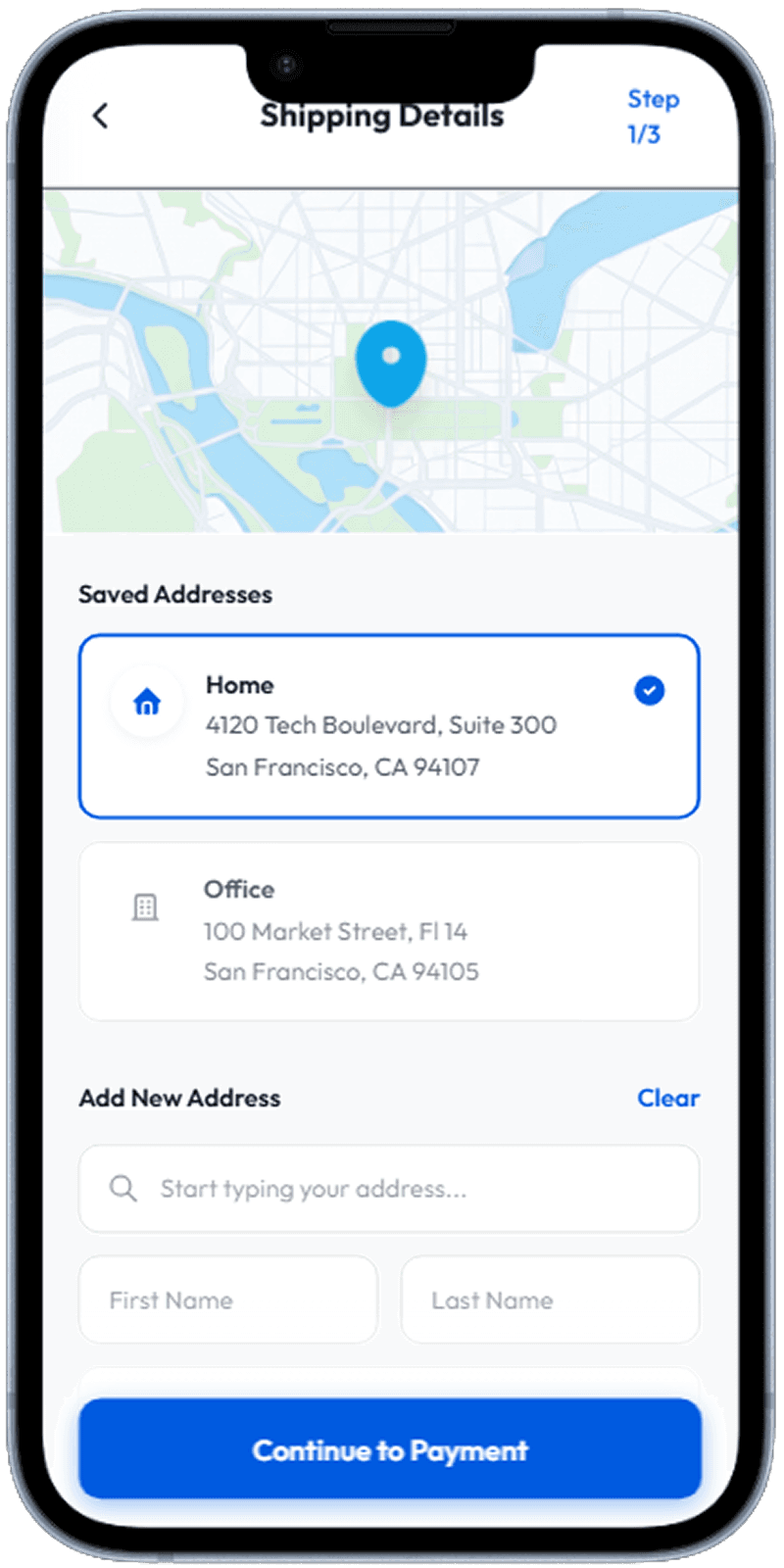
Delivery Address
Address confirmation step before payment method selection.
Shipping details entry and saved address selection
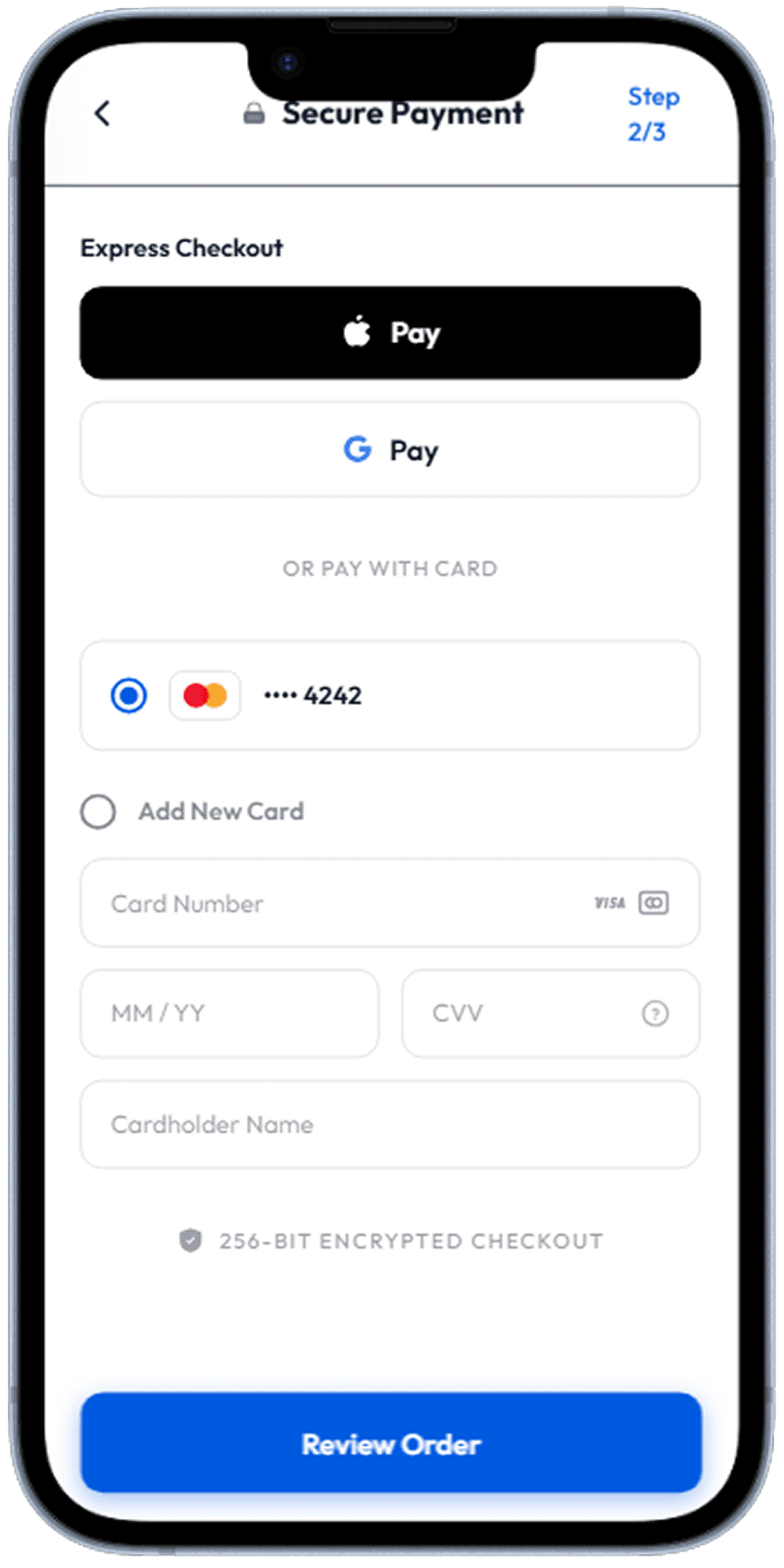
Payment Method
Payment choice step with strong hierarchy and low input friction.
Payment method selection with clear affordances
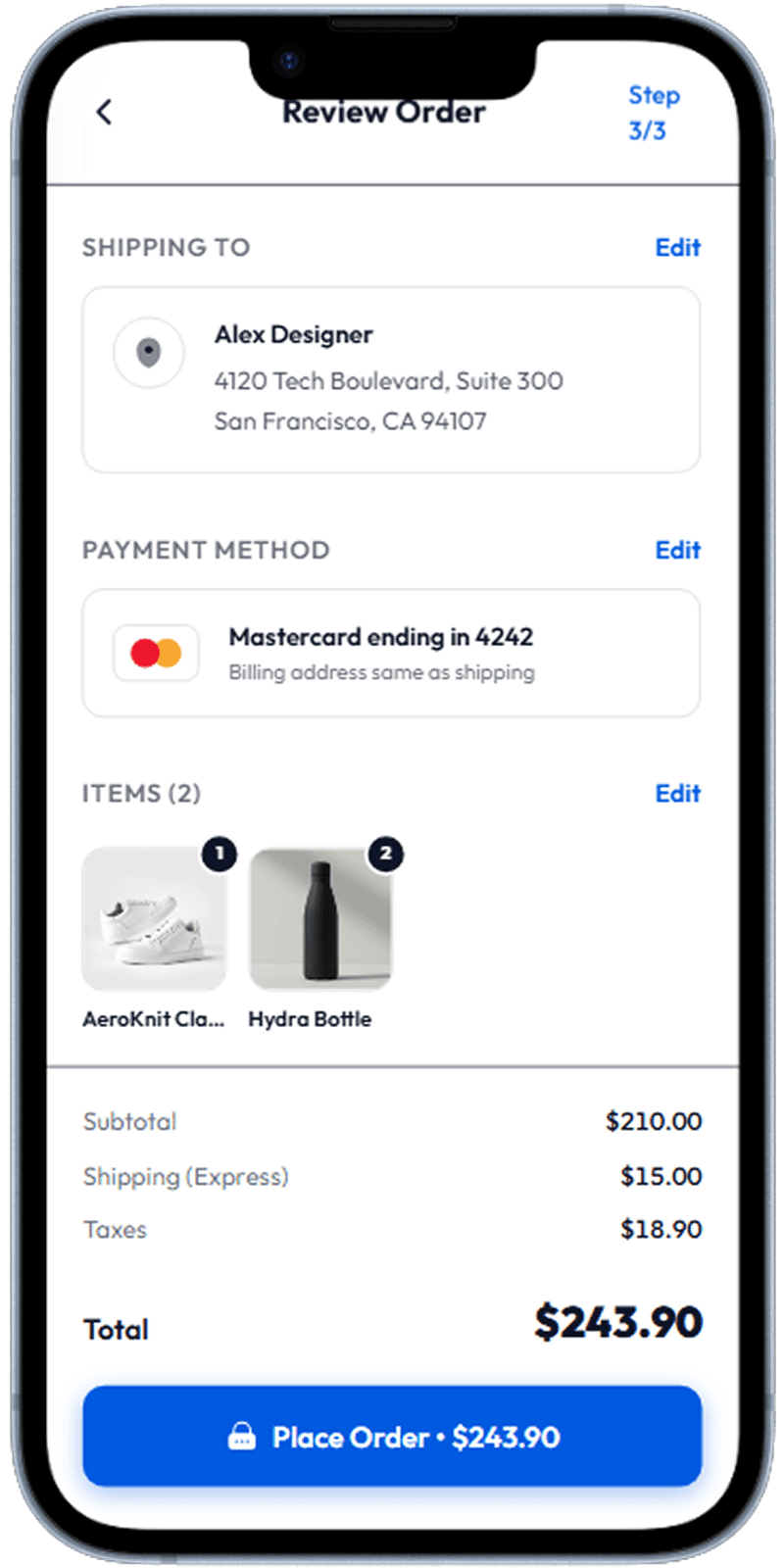
Order Review
Final review step before placing the order.
Pre-confirmation summary with final totals and details
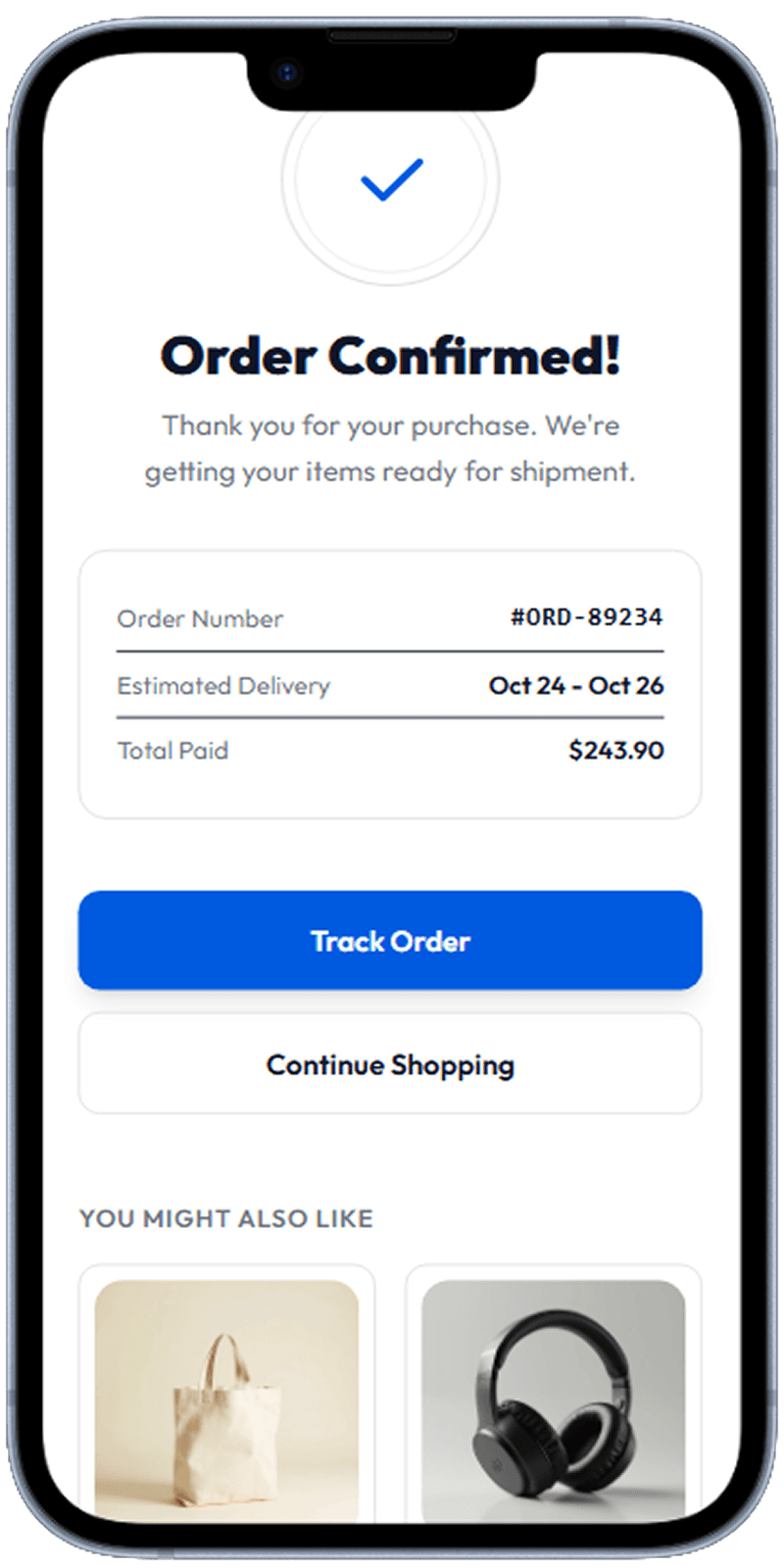
Order Confirmation
Success state with transaction summary, track order CTA, and recommended items.
Order confirmed screen with order number, delivery estimate, and track action
Keep the Checkout Path Linear
The flow works because users always know the next step: cart, delivery, payment, review, confirm. Linear progression reduces confusion and abandonment.
Use Confirmation to Reinforce Trust
A strong confirmation screen should include order number, delivery estimate, and paid amount in a scannable block. This reduces post-purchase anxiety.
Post-Purchase Actions Matter
Track-order and continue-shopping actions should be immediately visible after purchase. Optional recommendations can increase repeat engagement without disrupting completion.
Related Resources
Design your checkout flow with Dezyn
Describe your checkout requirements to Dezyn and generate a complete, conversion-focused purchase flow instantly.