Food Delivery App UI Inspiration
Appetizing UI patterns for food ordering apps — restaurant cards, menu screens, cart flows, and live order tracking.
Food delivery apps must make users hungry before they tap "order." Photography-first design, intuitive category browsing, and a frictionless checkout flow are the three pillars of great food delivery UI. These example screens demonstrate how to balance visual richness with fast, confident navigation toward conversion.
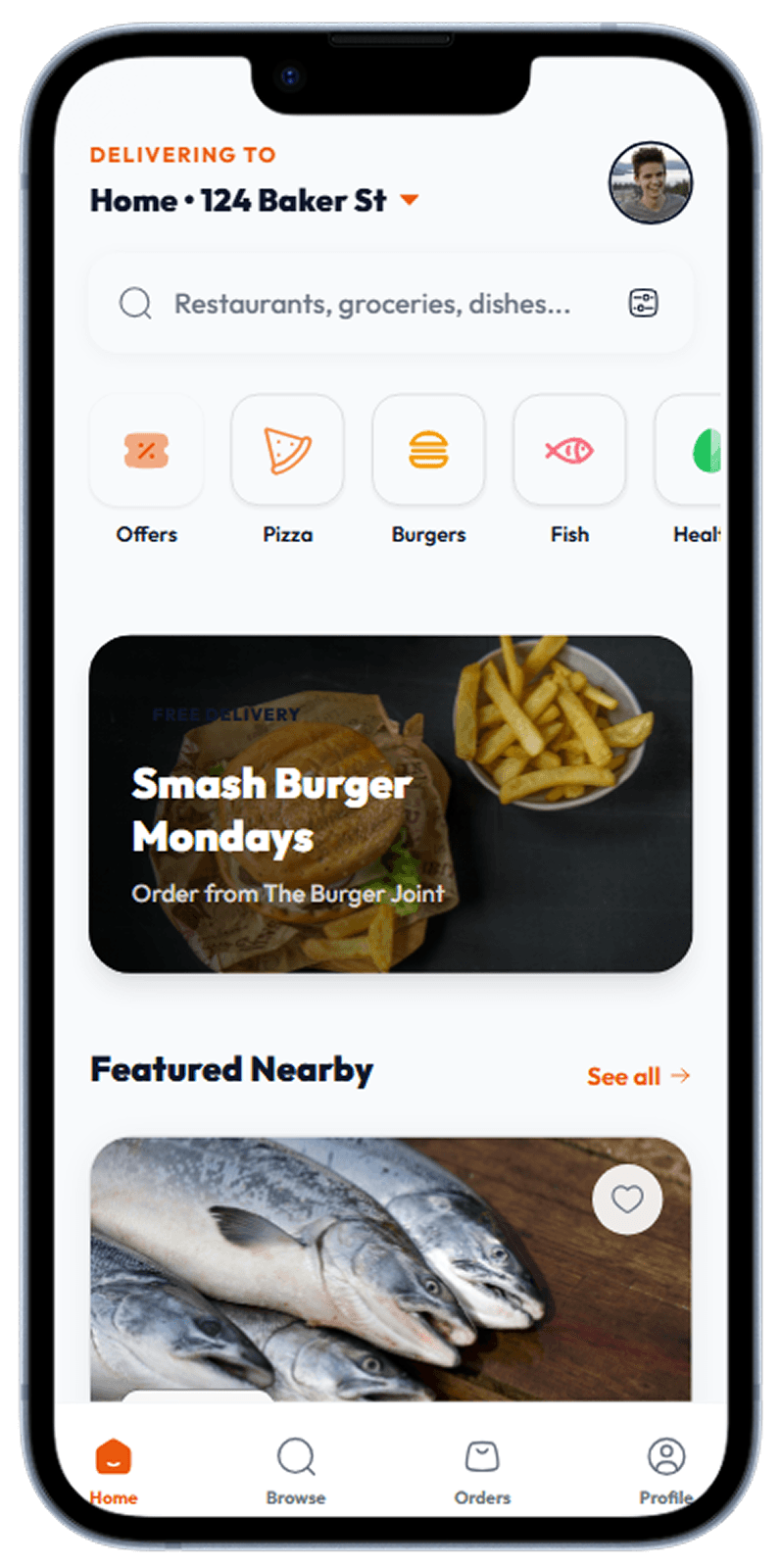
Home
Hero banner with promoted restaurants, category chips, and nearby feed.
Restaurant discovery home with category chips and nearby feed
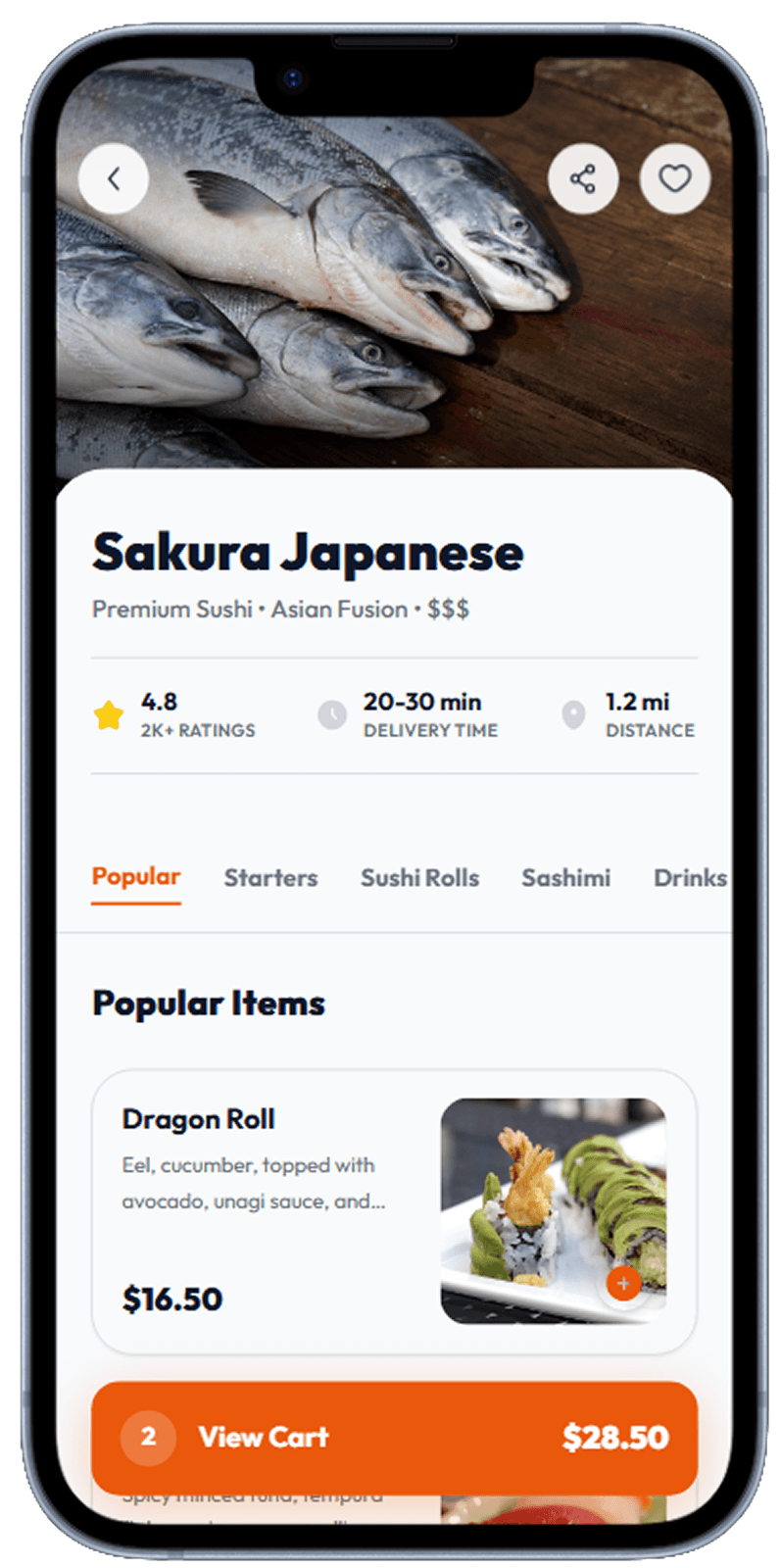
Restaurant Detail
Restaurant header with rating, delivery time, and category menu tabs.
Restaurant page with info, ratings, and menu preview
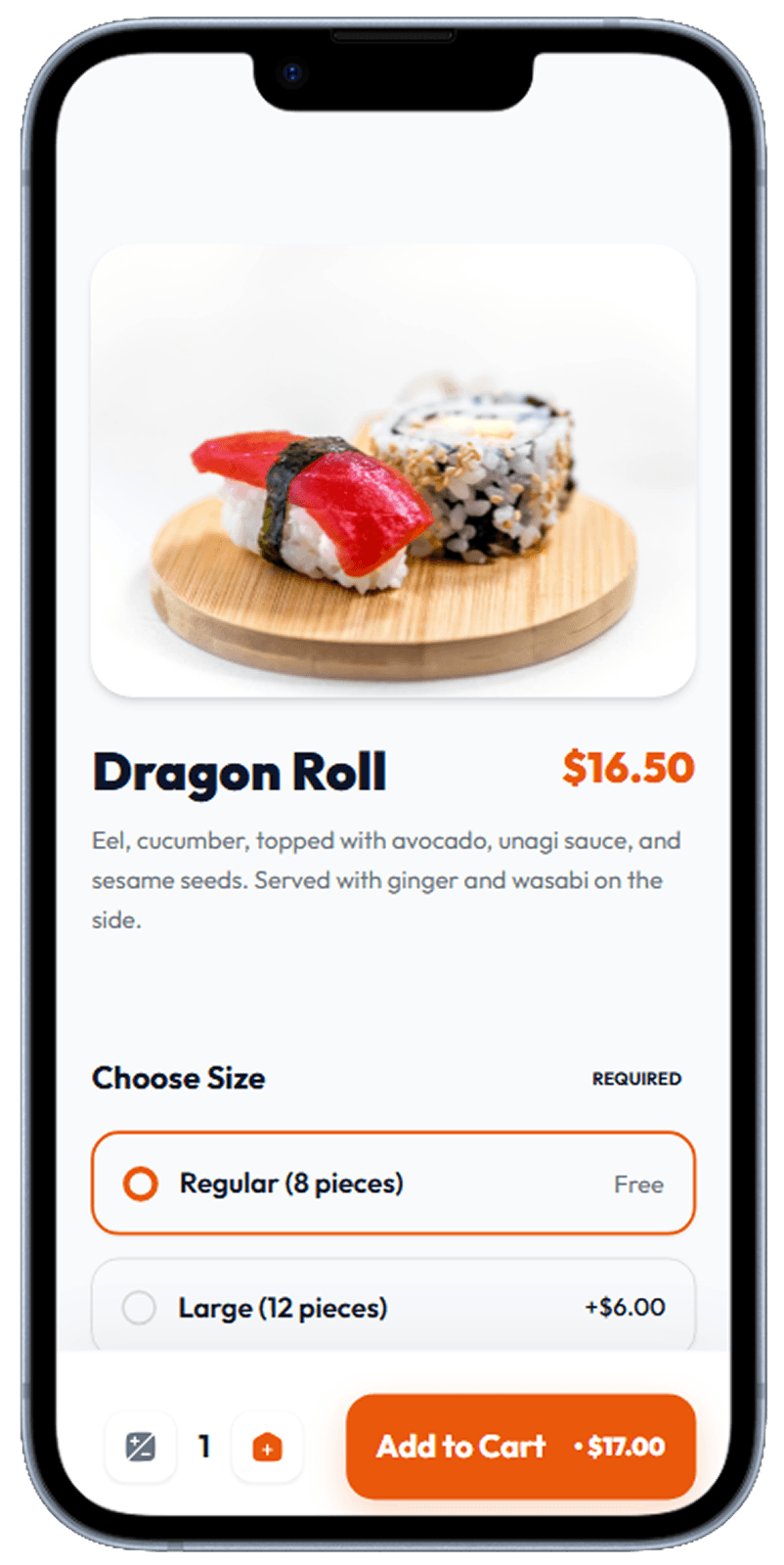
Menu Item
Full-bleed food photo, description, option groups, and add-to-cart CTA.
Individual dish detail with photo, description, and add-to-cart
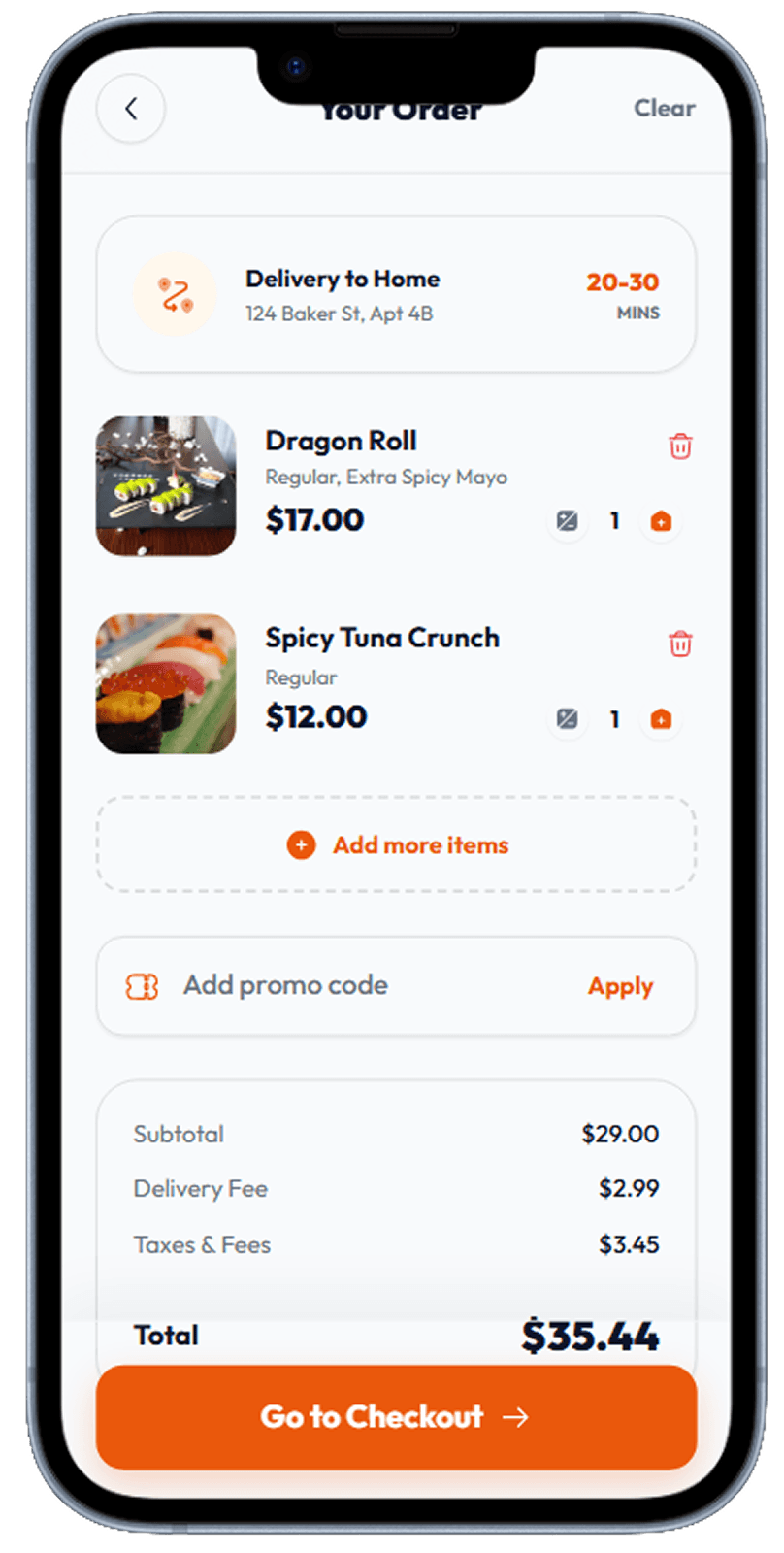
Cart
Item list, delivery fee breakdown, promo code input, and checkout button.
Cart with item list, delivery fee breakdown, and checkout
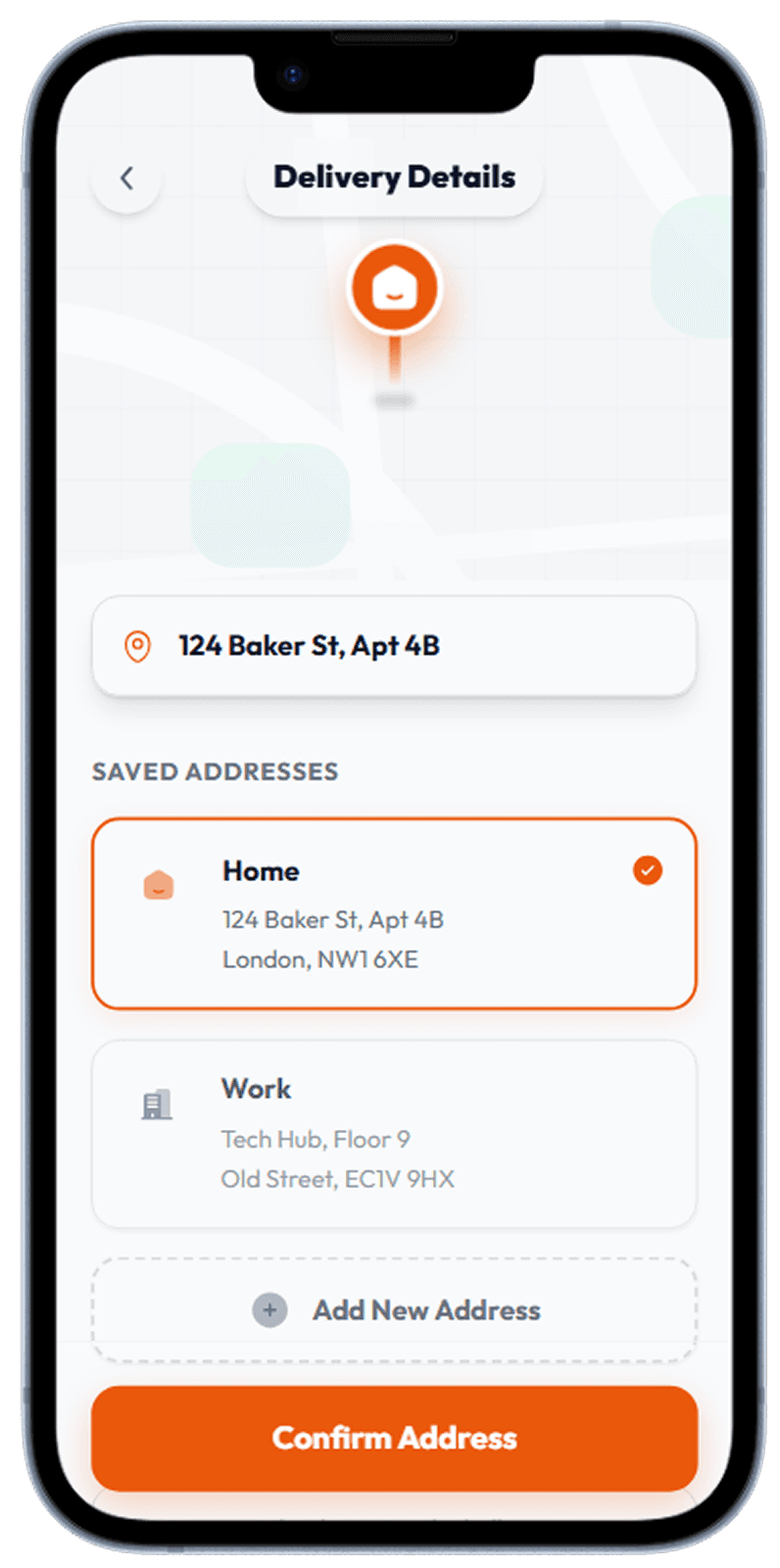
Delivery Address
Address picker with map pin preview and saved addresses list.
Address picker with map pin preview and saved addresses
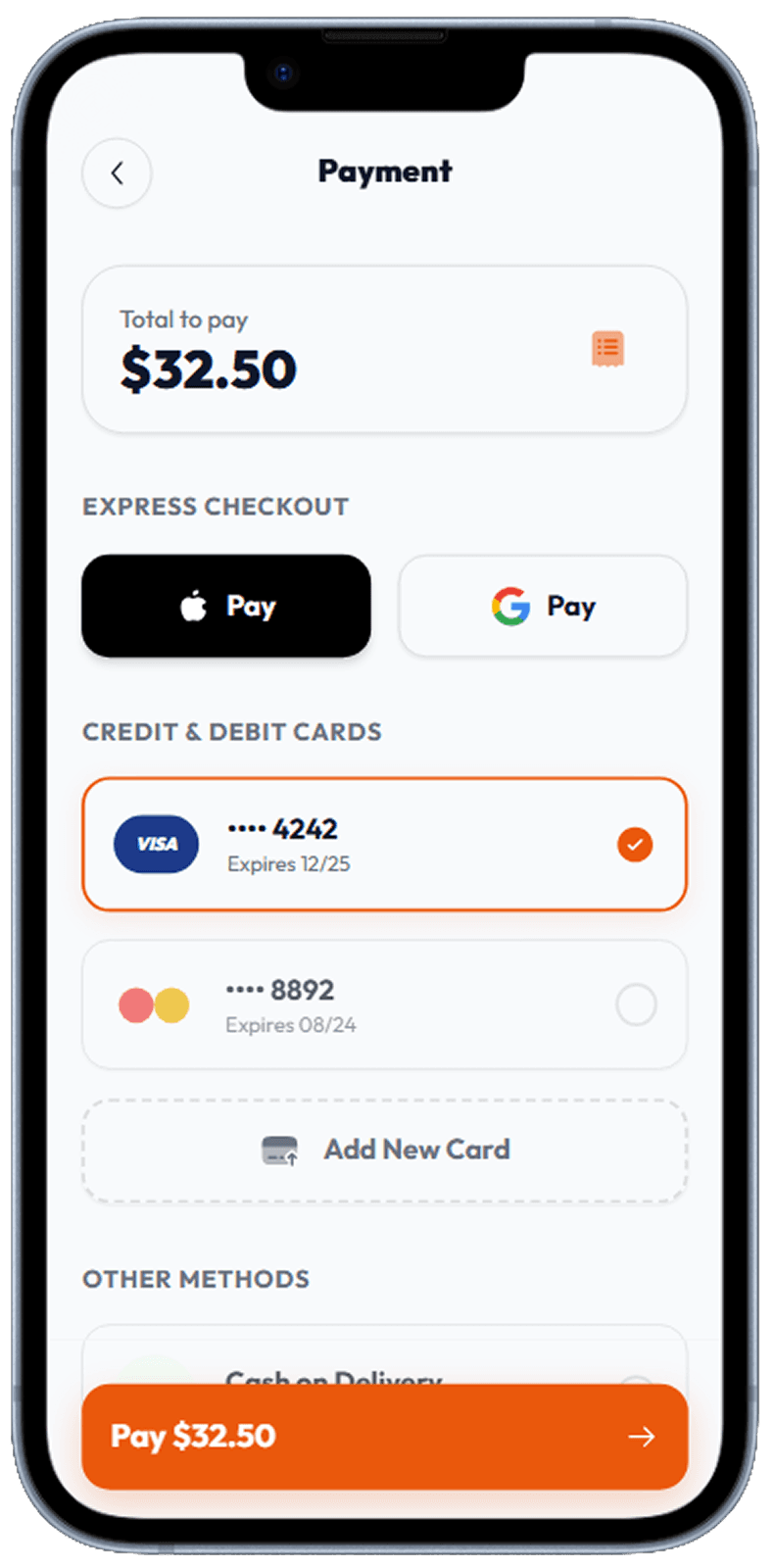
Payment
Saved cards, Apple/Google Pay, and cash-on-delivery options.
Payment method selection with saved cards and digital wallets
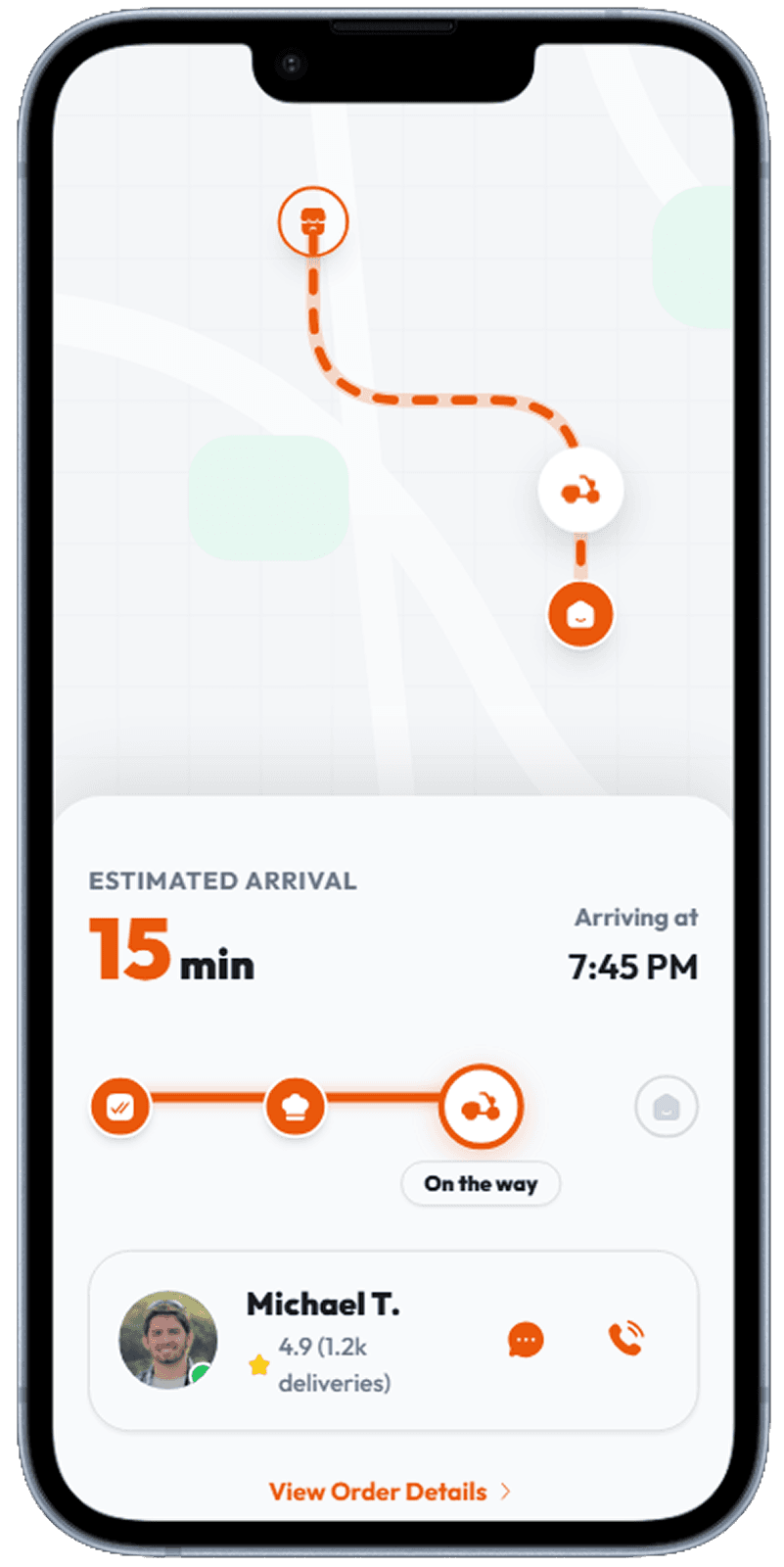
Delivery Tracking
Real-time map with driver pin, ETA countdown, and order status steps.
Real-time map with driver pin and ETA countdown
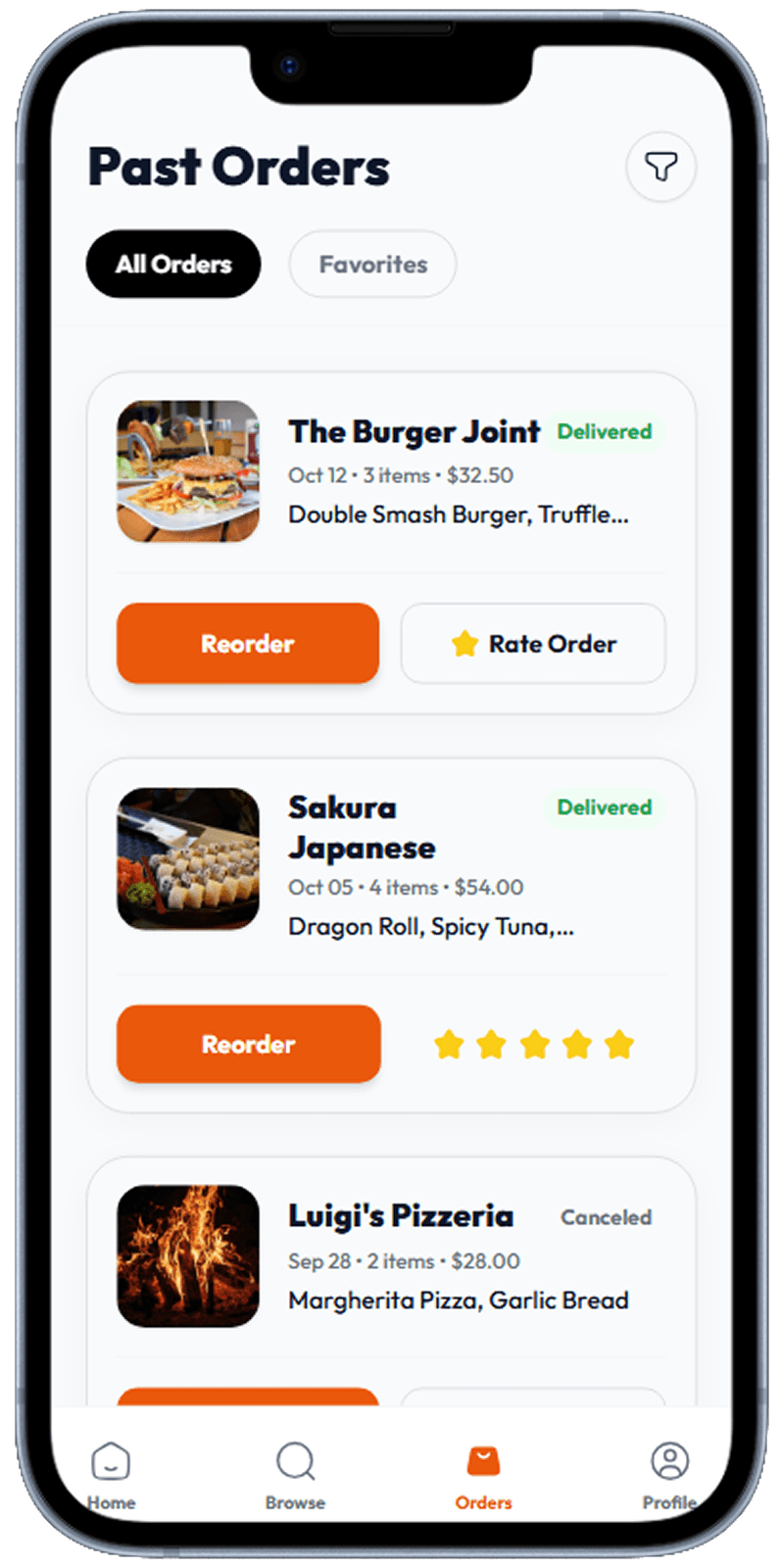
Order History
Past orders with restaurant photo, reorder shortcut, and rating prompt.
Past orders with restaurant photo, reorder shortcut, and rating prompt
Why Photography-First Design Wins in Food Apps
Studies show that food imagery increases order conversion by up to 30%. The best food delivery apps treat the restaurant menu like an editorial magazine spread — full-bleed dish photos, warm color grading, generous whitespace around item names. Dark UI themes can work for premium delivery brands but often reduce food photography impact. Light or off-white surfaces let dish photography pop naturally and signal freshness and cleanliness, both of which matter deeply in the food category.
Reducing Friction in the Ordering Funnel
Every extra tap between "I'm hungry" and "order placed" costs you a conversion. Top food delivery apps have reduced their checkout flows to three screens: cart → address → payment. Guest checkout, saved addresses, and one-tap reorder are not nice-to-have features — they are table stakes in a market where users have Uber Eats, DoorDash, and ten local alternatives installed on the same phone. The cart screen is your last chance to upsell: a "frequently bought together" row below the item list drives average order value without adding friction.
The Order Tracking Experience as Brand Differentiator
Most users open the tracking screen multiple times while waiting for their food. This makes it one of the highest-impression screens in the entire app, yet it is often the least designed. Live map with animated driver marker, an estimated arrival time that counts down, and a clear four-step progress bar (Received → Preparing → Picked up → Delivered) transforms anxiety into anticipation. Adding the driver's name and photo personalises the final mile and dramatically improves perceived quality.
Related Resources
Design your food delivery app in seconds
Describe your restaurant ordering concept to Dezyn and receive fully designed screens — menus, cart, tracking, and more.