Nutrition App UI Inspiration
Real screens from Dezyn-generated fitness and activity tracking apps — from run tracking dashboards to calorie logs and profile summaries.
Fitness apps live at the intersection of motivation and data. The best designs celebrate progress without overwhelming the user with numbers. Below are real screens from two distinct Dezyn projects — a Strava-style run tracker and a calorie/macro tracking app — showing how different fitness use cases demand different UI approaches while sharing the same high-quality visual standard.
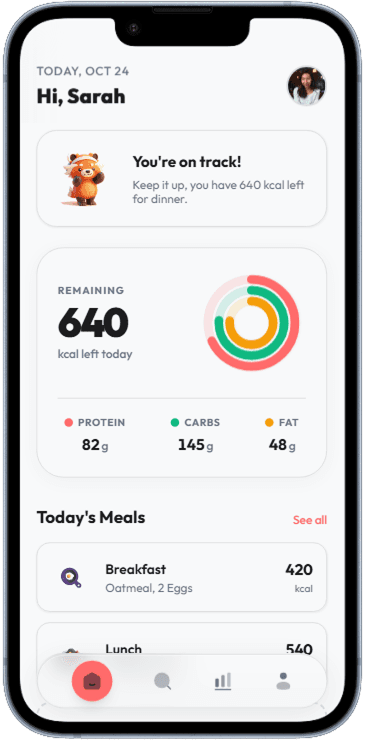
Home Dashboard
Circular progress indicator for calories remaining, plus macro split.
Daily calorie goal ring with macro breakdown
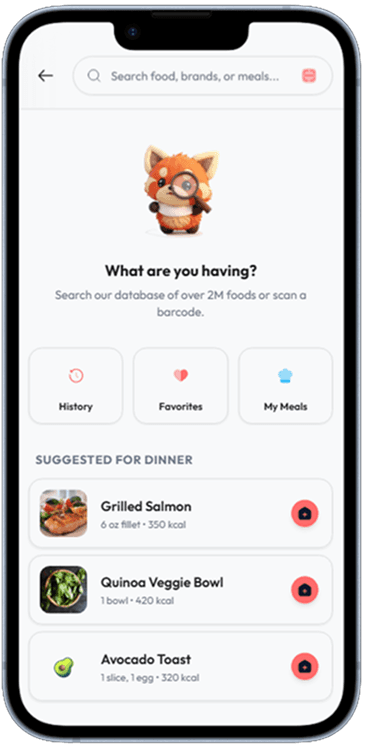
Food Search
Search input with recent items, barcode icon, and AI food recognition.
AI-powered food search with nutritional data
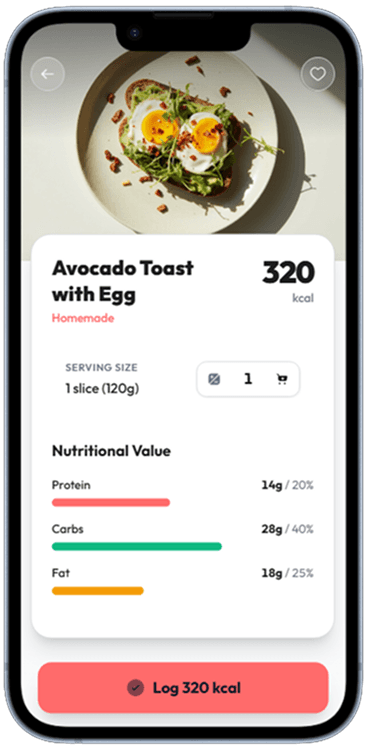
Food Detail
Full macro and micronutrient panel with serving size adjuster.
Nutritional breakdown for a selected food item
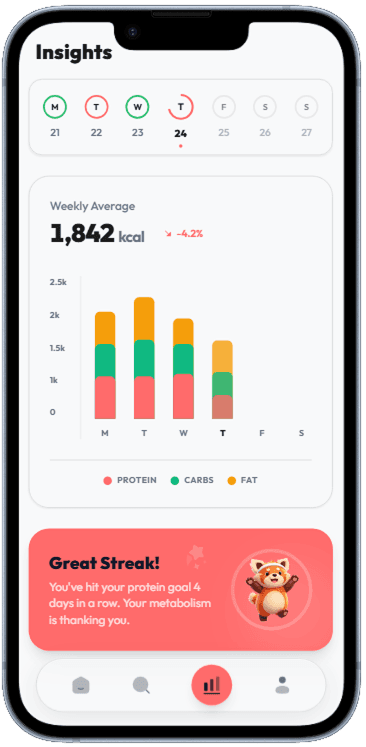
Weekly Insights
Bar charts showing daily calorie intake vs. goal over the past week.
Weekly calorie and macro trends with goal progress
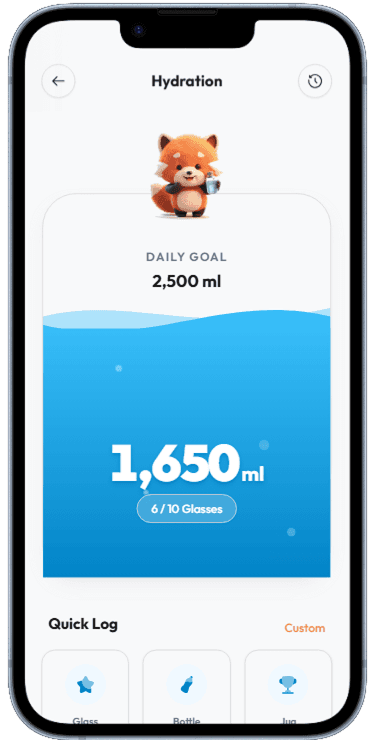
Hydration Tracker
Visual water fill indicator with one-tap log buttons for common serving sizes.
Daily water intake tracker with quick-add buttons
Designing for Motivation — Not Just Data
Fitness apps live and die by whether they keep users coming back. The data needs to feel like a reward, not a report. Micro-celebrations — a confetti burst on a personal best, a streak counter on the home screen, a "you are in the top 10% this week" card — turn dry statistics into emotional fuel. The screens above use color psychology deliberately: green for completed goals, amber for partial progress, a neutral tone for empty states so incomplete data does not feel like failure.
The Two Modes of Fitness UI: Active and Passive
Active mode — the screen visible during a run, ride, or workout — needs maximum legibility at arm's length while the user is breathing hard and sweating. Huge typography, high-contrast numbers, minimal interaction surface. Passive mode — browsing history, checking stats, planning — rewards density and exploration. The split between these two contexts is one of the hardest design challenges in mobile fitness UX, and these screens show how a single app can do both well.
Social Features That Drive Retention
The activity feed is the most powerful retention mechanism in any fitness app. Users return daily not just to log their own workouts, but to see what their friends are doing. Designing this feed requires balancing personal data (your workout) with social data (others' workouts) without creating anxiety. Following in the footsteps of Strava, these screens use kudos (a lightweight reaction) instead of likes to keep the tone encouraging rather than competitive.
Related Resources
Build your fitness app UI in minutes
Describe your workout, run tracking, or nutrition app to Dezyn and get complete, cohesive screens generated instantly.